

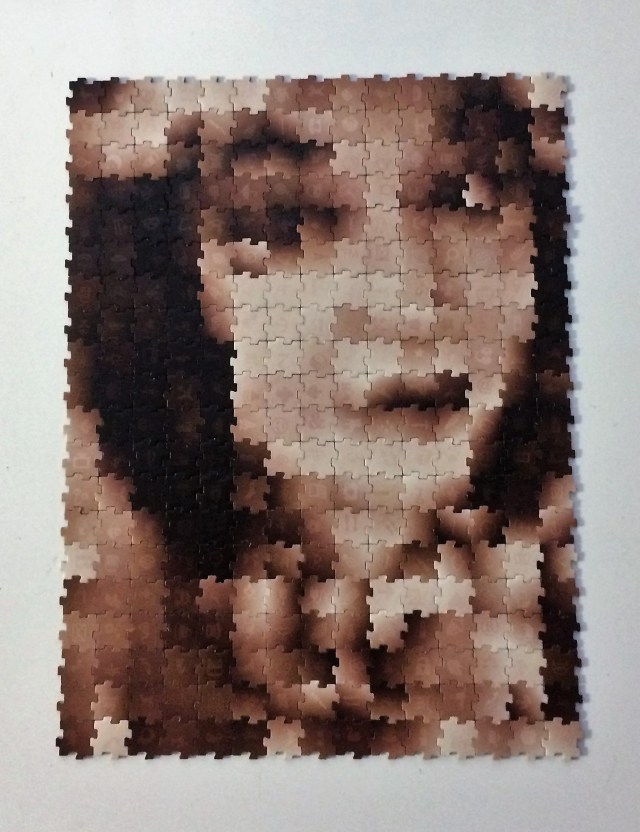
This is another puzzle I first posted about over four years ago, and I’m still getting emails and comments looking for help. Well, hubby and I spent a few hours trying to get things figured out and we seem to have come up with a solution.
Many people have contacted me looking for help installing the software that comes along with this puzzle; you need the software to upload a picture so the program can create a “map” for you to assemble your chosen image. It seems everyone is unable to install the program. Well, after much trial and error, searching the web for answers, even finding old laptops to see if older operating systems might help we seem to have it figured out.
It’s something to do with an expired “certificate”. I do not profess to know much about computers, so I honestly couldn’t tell you what in the world this is all about. I asked my puzzle pal Penny who works with computers, and we had a pretty long discussion about whether or not this is the right way to do things, and whether or not I should post about the solution we came up with.
I need to preface this by saying that this is NOT official technical advice, this is just a workaround that we found to let us get the program put on our computer and get it running. Please take what I’m telling you for what it is; a mildly computer literate old lady trying to help put the program on your computer so you can play with this puzzle. Nothing terrible happened to my computer when we employed our solution, so hopefully it won’t have any dire consequences for anyone else – but there are no guarantees. Please don’t hold me responsible if there is a problem.
The solution we came up with was to reset the date on our computer. I set mine to 2016. Once I did that the program installed with no problems whatsoever. As soon as it was installed we reset the system to the current date and time and ran the program. There was no issue with uploading pictures and making maps.
I hope this helps anyone who has been having problems with installing the software onto their computers.
 My Jigsaw Journal
I tried this and it worked. I turned back time to 2016. Installed the program and then reset the time to 2021. Program run. Thanks so much , anxious to show this puzzle with grand kids.
LikeLiked by 1 person
I’m so glad it helped! I hope you and the grandkids have a great time with it. 😊
LikeLike
Worked for me too!
Here are the steps my computer guy helped me with:
1. Go to settings
2. Select Date and Time Settings
3. Turn off “Set Time Automatically”
4. Change the year to 2016 (leave settings open on your desktop)
5. Put the CD in your drive and Install ji GA ZO
6. Go back into settings and set your time back to “Set Time Automatically”
I am so thankful to Staccey for helping me get this Birthday present from my MIL up and running!
And congrats on your amazing 40,000 piece puzzle!!!
LikeLiked by 1 person
Thanks Nancy, and I’m so glad I could help! Happy puzzling!
LikeLike
Pingback: Ji Ga Zo Puzzle – My Jigsaw Journal
it worked! I was skeptical at first but it worked. Thanks a lot!
LikeLiked by 1 person
I’m so glad! Enjoy your ji-ga-zo!
LikeLike
Thanks! This worked for me and I passed the link to this page on to Hasbro tech support.
LikeLike
I thought this was a great idea, but I hadn’t tried it in several years, and I recently dug it out and played with the software. In case anyone is interested, it *does* still work on the latest MacOS, but you will have a hard time installing it. First you need to find a CD-drive, and a version of MacOS capable of running the installer, which is a 32-bit program (MacOS 10.14 or earlier). While the installer is 32-bit, the program it installs is 64-bit and will run on MacOS 13, so you can Zip up Ji_Ga_Zo.app and copy it to a new Mac. You also need to reset the clock to 2016 or earlier as other people have noted.
On the new Mac, you’ll need to download a newer version of the Adobe AIR runtime from https://airsdk.harman.com/runtime. You need the older version with WebKit. (“AIR runtime including WebKit – version 33.1.1.744”). With that in place (and a few “are you sure”s and “do you trust this software”s), you’ll have a functioning Ji_Ga_Zo.app which looks and sounds exactly like a kid’s game from the 1990s, but does the job.
I’ve not played with the Windows version. I expect with enough persistence and some knowledge of Mac installer internals, the AIR installer and the Ji_Ga_Zo program could be separated and you could do it all on a new Mac.
Clearly Hasbro have no interest in maintaining this, but I’m amazed to see it is still for sale new.
LikeLiked by 1 person
Thanks for the info.
LikeLike
Wow! Your solution about setting the date to 2016 really worked! Amazing work around! My sincere gratitude! I had spent a great deal of time searching online before I came across your solution. I bought this puzzle from a second hand store.
LikeLiked by 1 person
I’m glad it worked for you, enjoy your puzzle!
LikeLike
We had this puzzle got when my kids as young, and we still have it brand new.
We were having trouble downloading it on windows 10 with a CD-ROM and came across this web site today.
Thank you very much!
LikeLiked by 1 person
I’m so glad I could help. Enjoy!
LikeLike
Another thank you! We used this years ago, and trying again now, I tried every old computer I could find to no avail. Your trick worked and now a new generation is discovering this great puzzle! Thank You for taking the time to post!
LikeLike